NEWS
·
December 15, 2025
Building the Future of AI Together
A friendly thought

5 min read

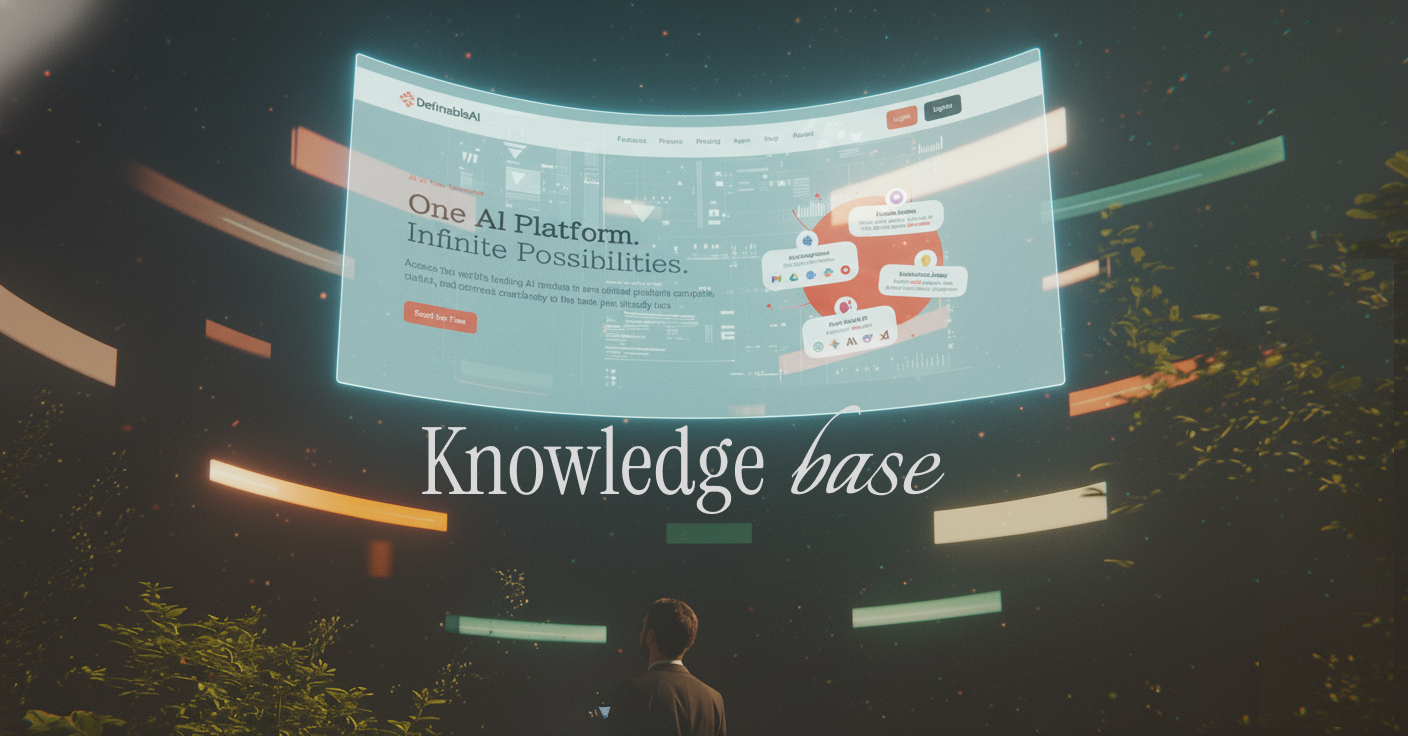
The Knowledge Base feature allows you to upload your documents and websites to train Definable AI on your specific information. Instead of generic answers, you get responses based on your actual data.
Knowledge Base lets you create a custom AI trained on your documents, files, and websites. The AI learns from your content and provides accurate, contextual answers specific to your business or needs.
Simple Process:Upload your documents → AI learns from them → Get personalized answers
Click the "Create Knowledge Base" button in the Knowledge Base section of Definable AI.
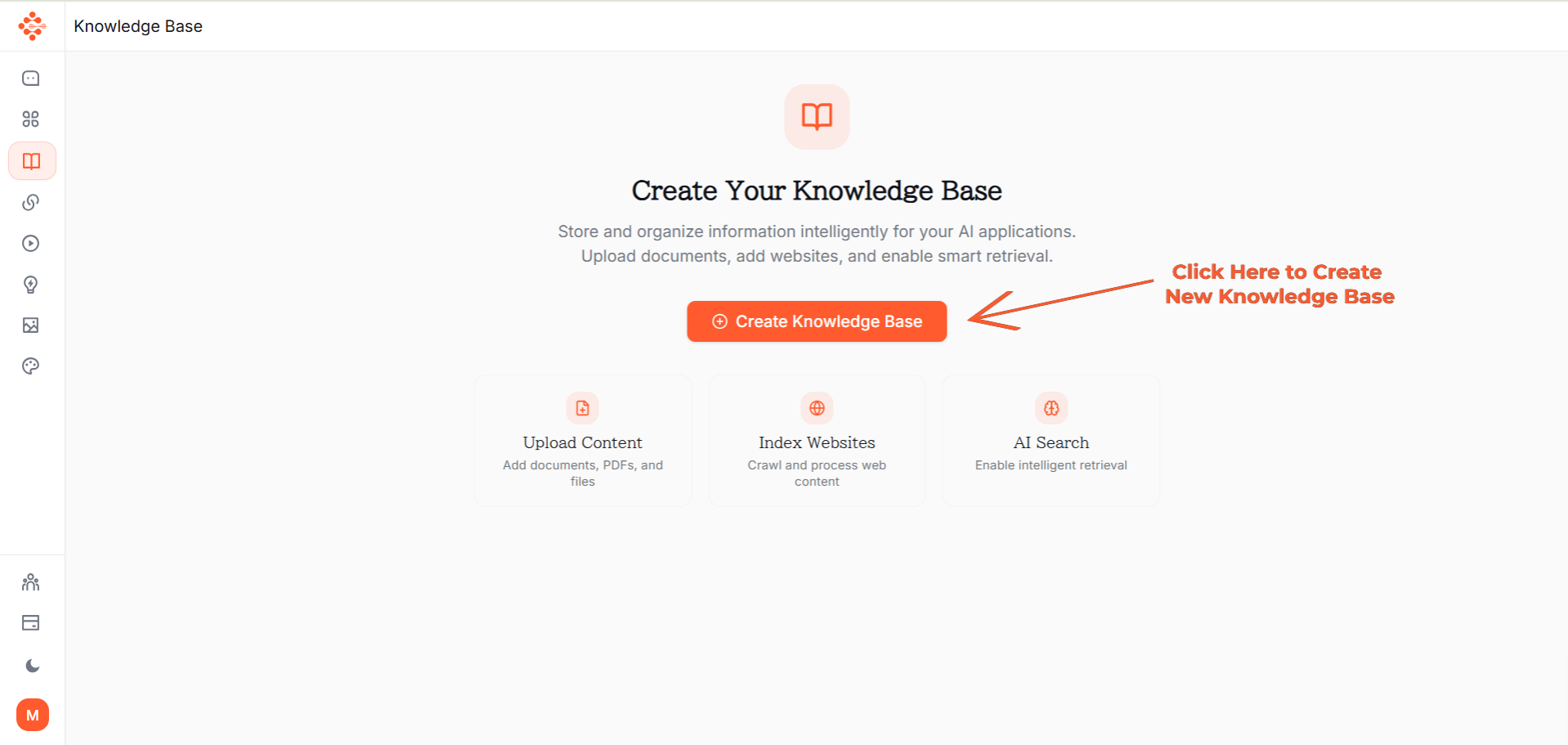
Enter a descriptive name for your Knowledge Base (e.g., "Company Policies" or "Product Documentation").
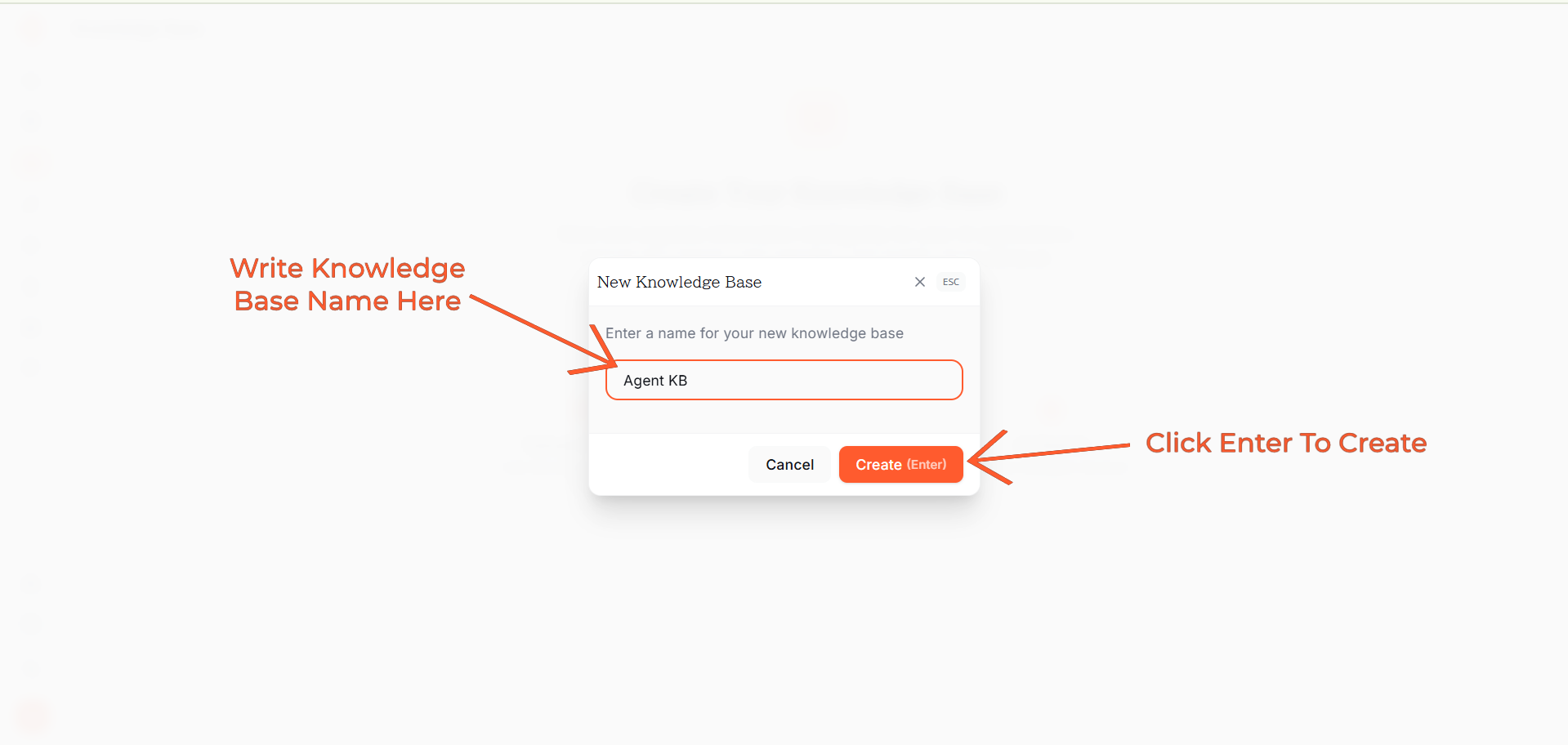
Click the "Upload Files" button to add documents from your computer.
Supported formats:
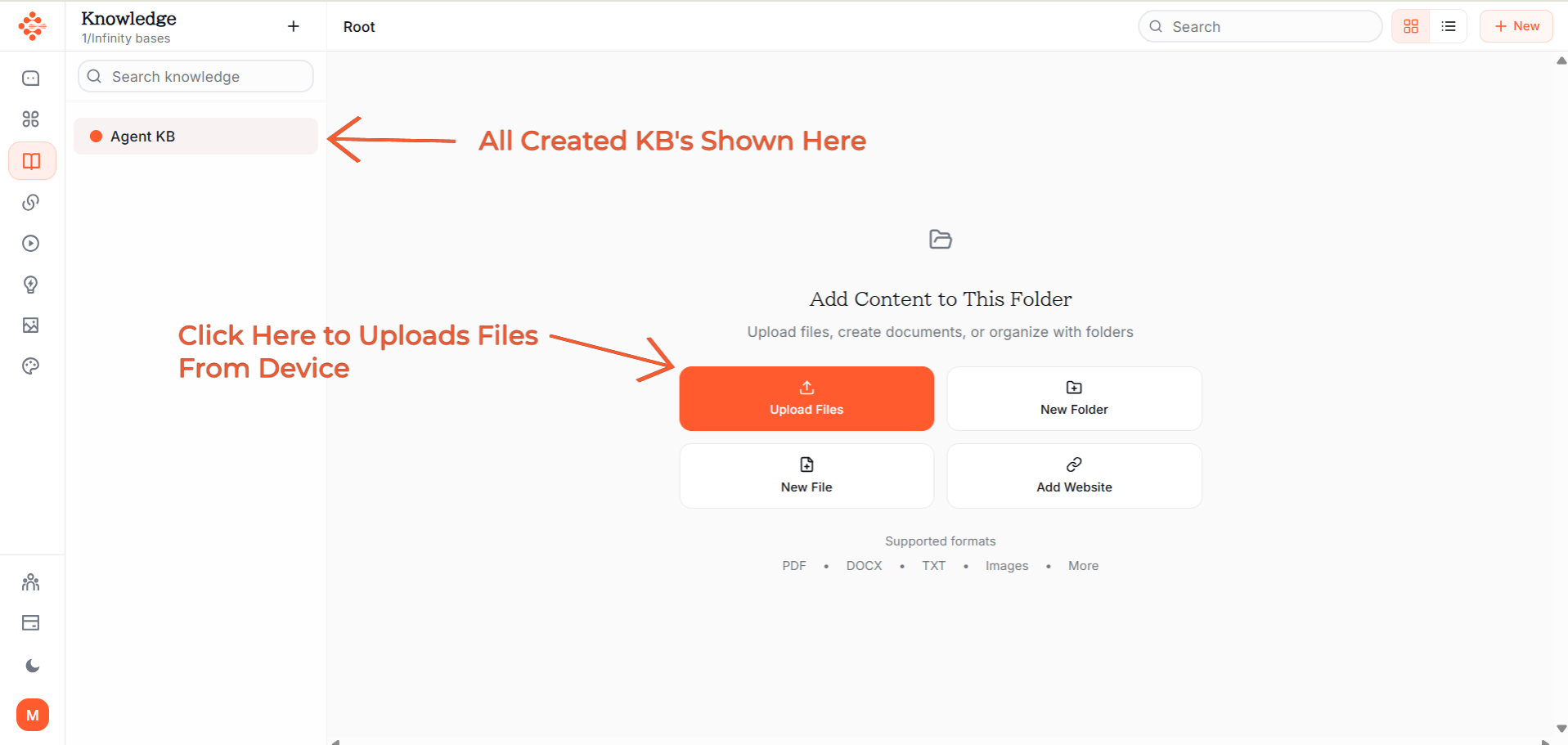
Choose the documents you want to upload from your computer. You can select multiple files at once.
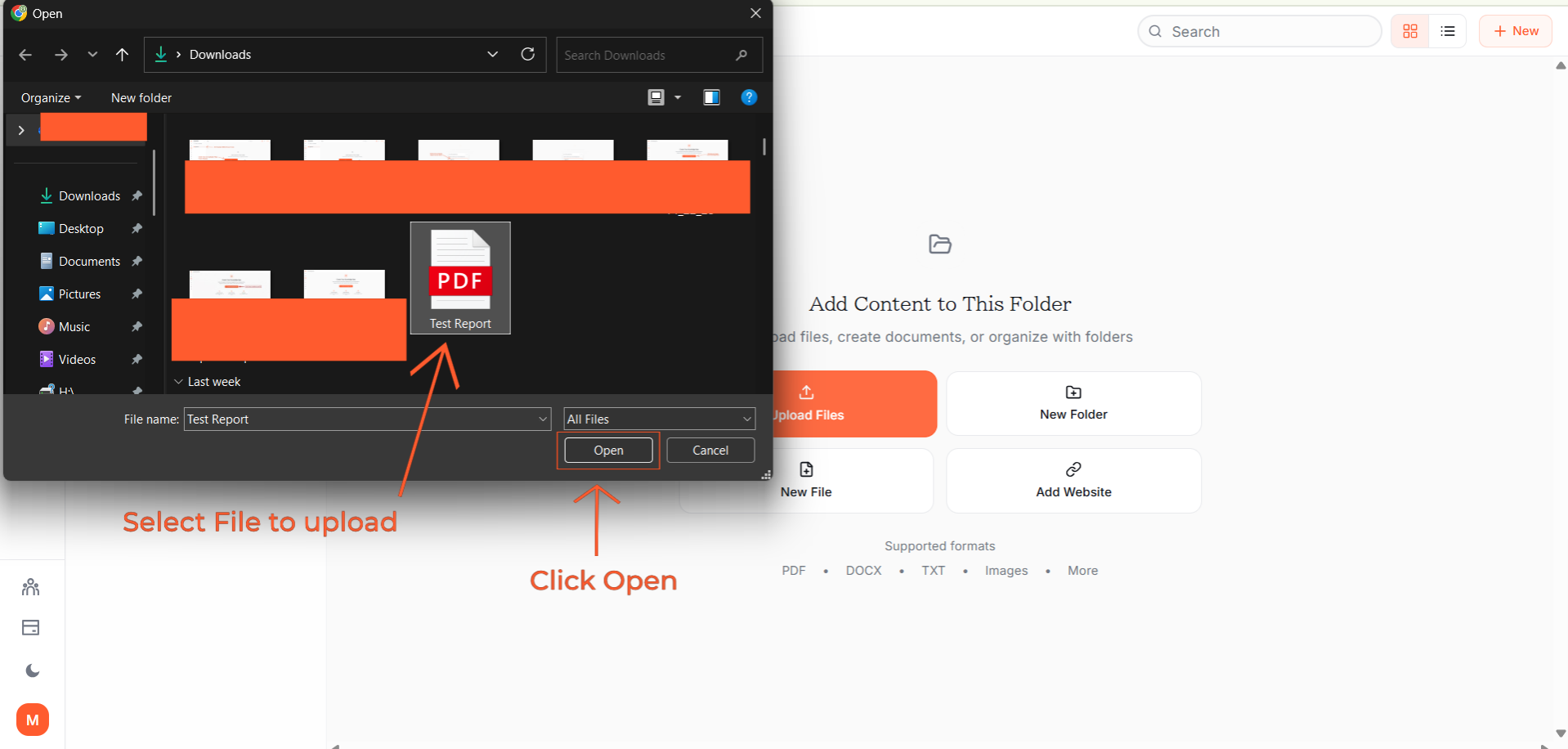
All your uploaded files are displayed in an organized list within the Knowledge Base.
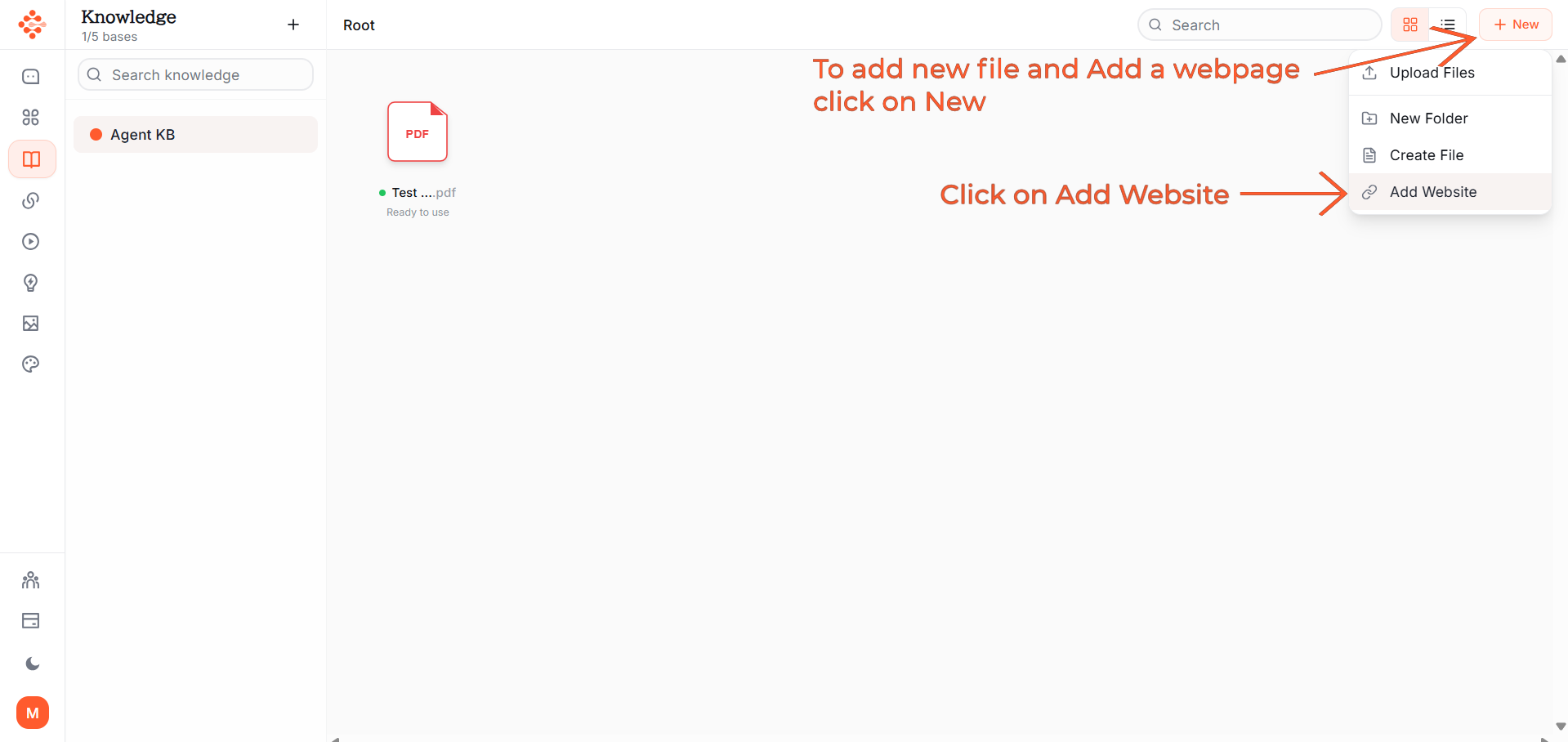
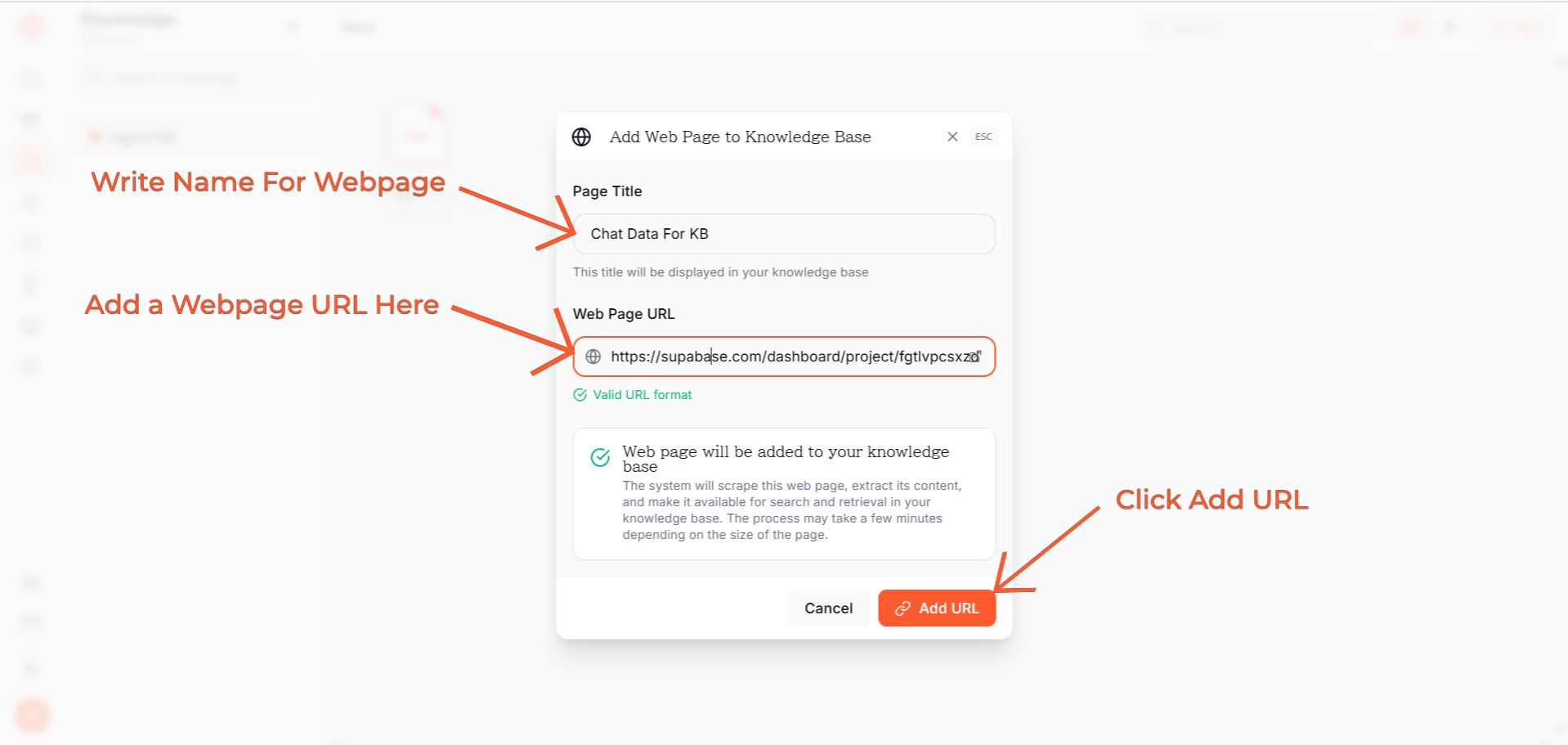
To add a webpage to your Knowledge Base:
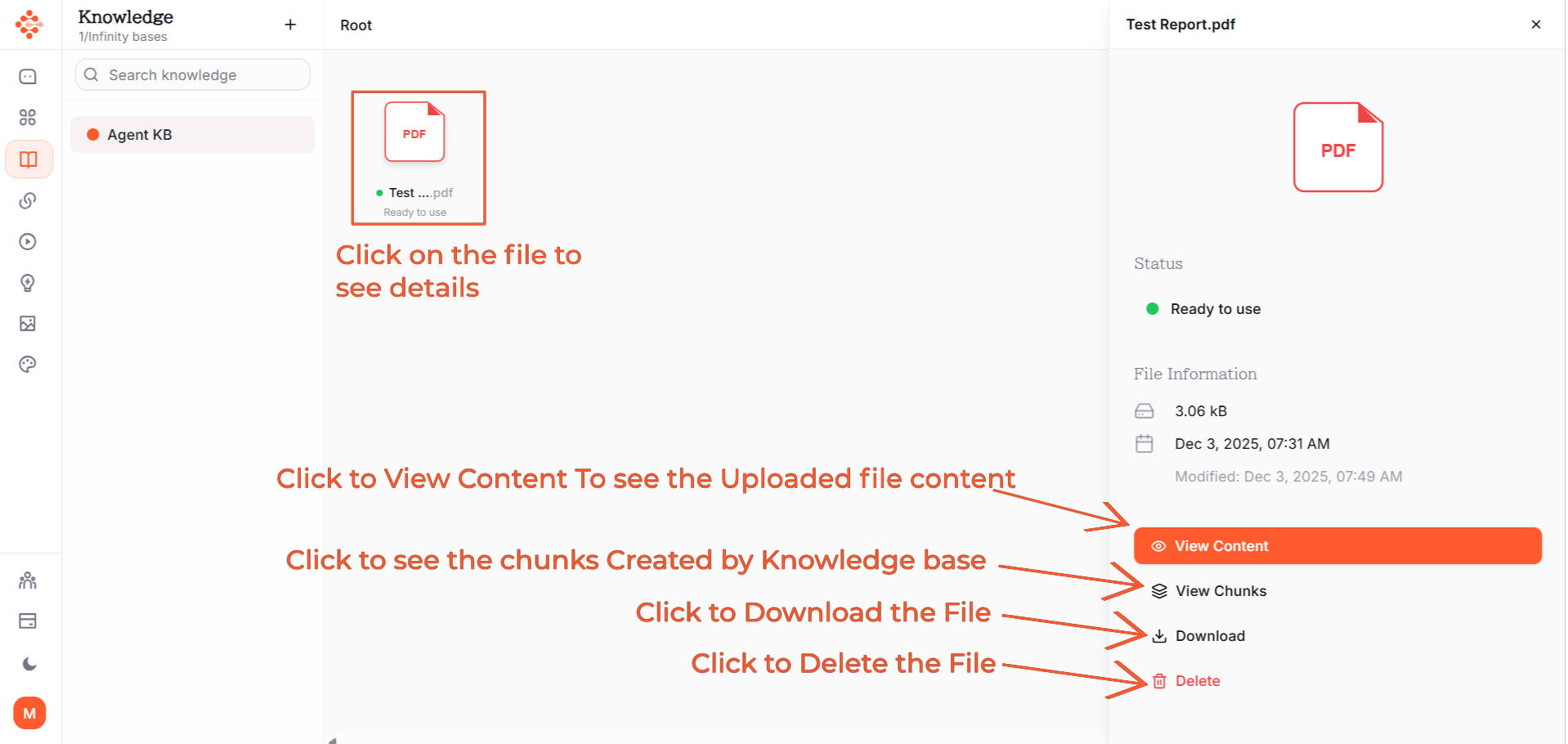
The content from the website will be added to your Knowledge Base.
Click the connection icon to link your Knowledge Base with the chat interface.
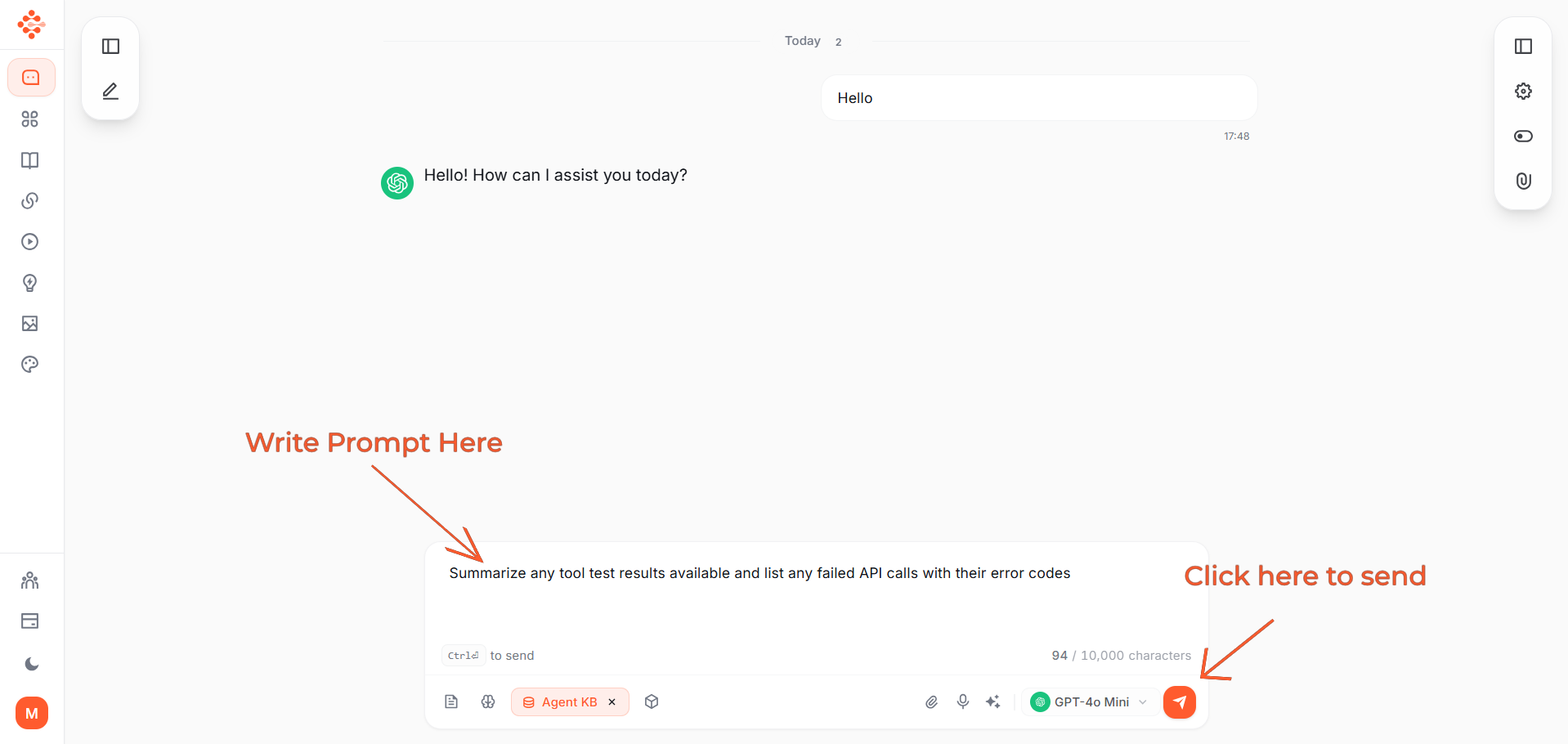
Type your question or prompt in the chat box, then click the "Send" button.
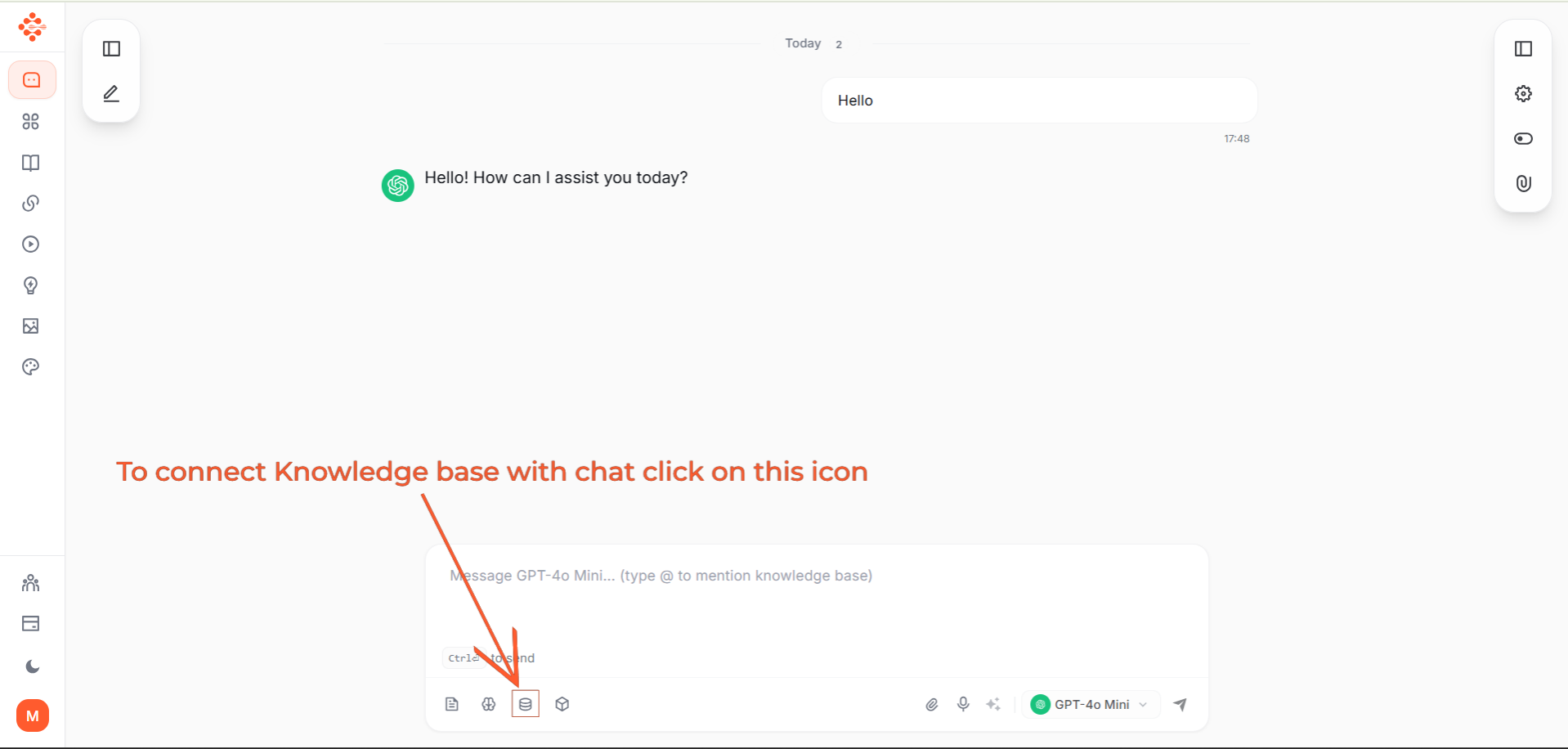
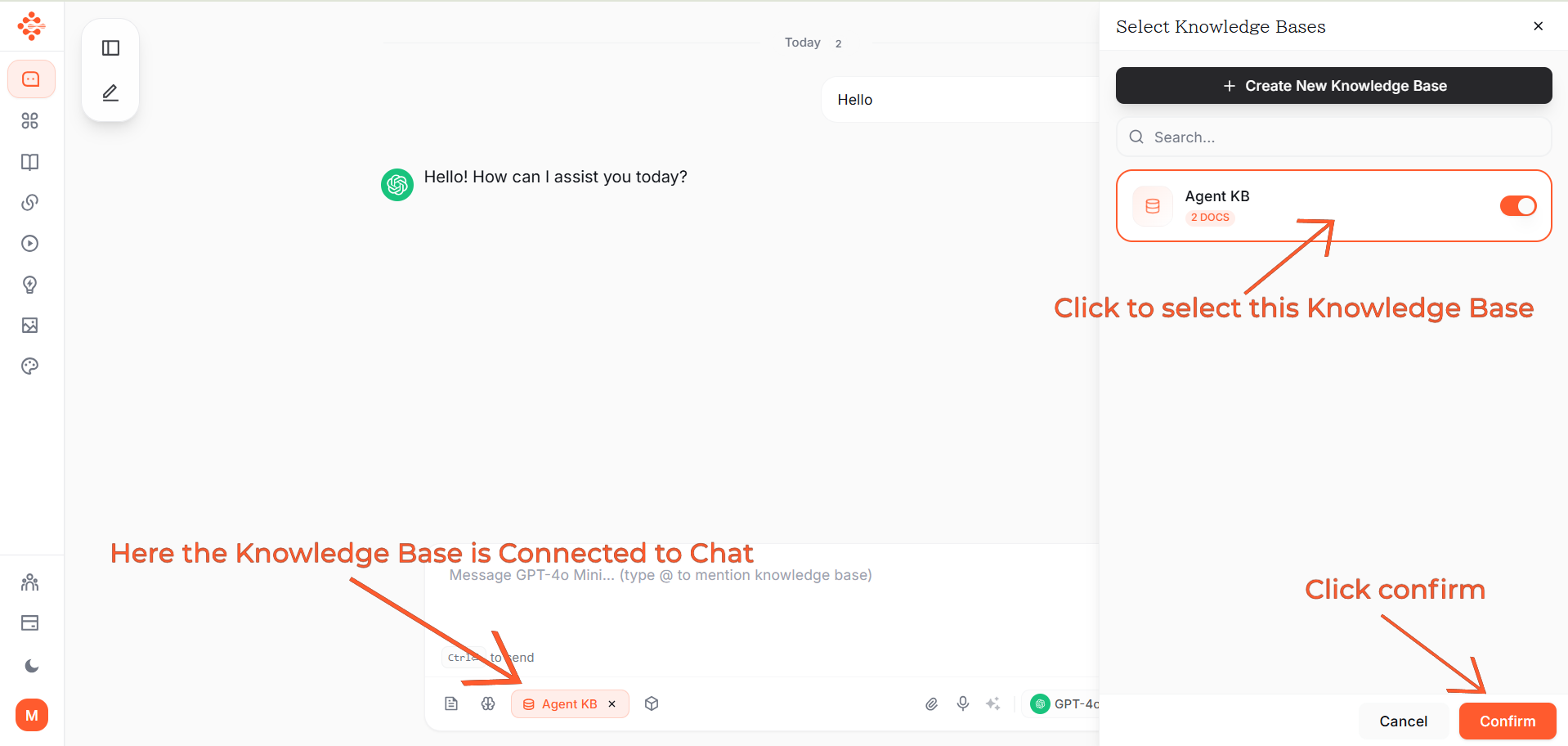
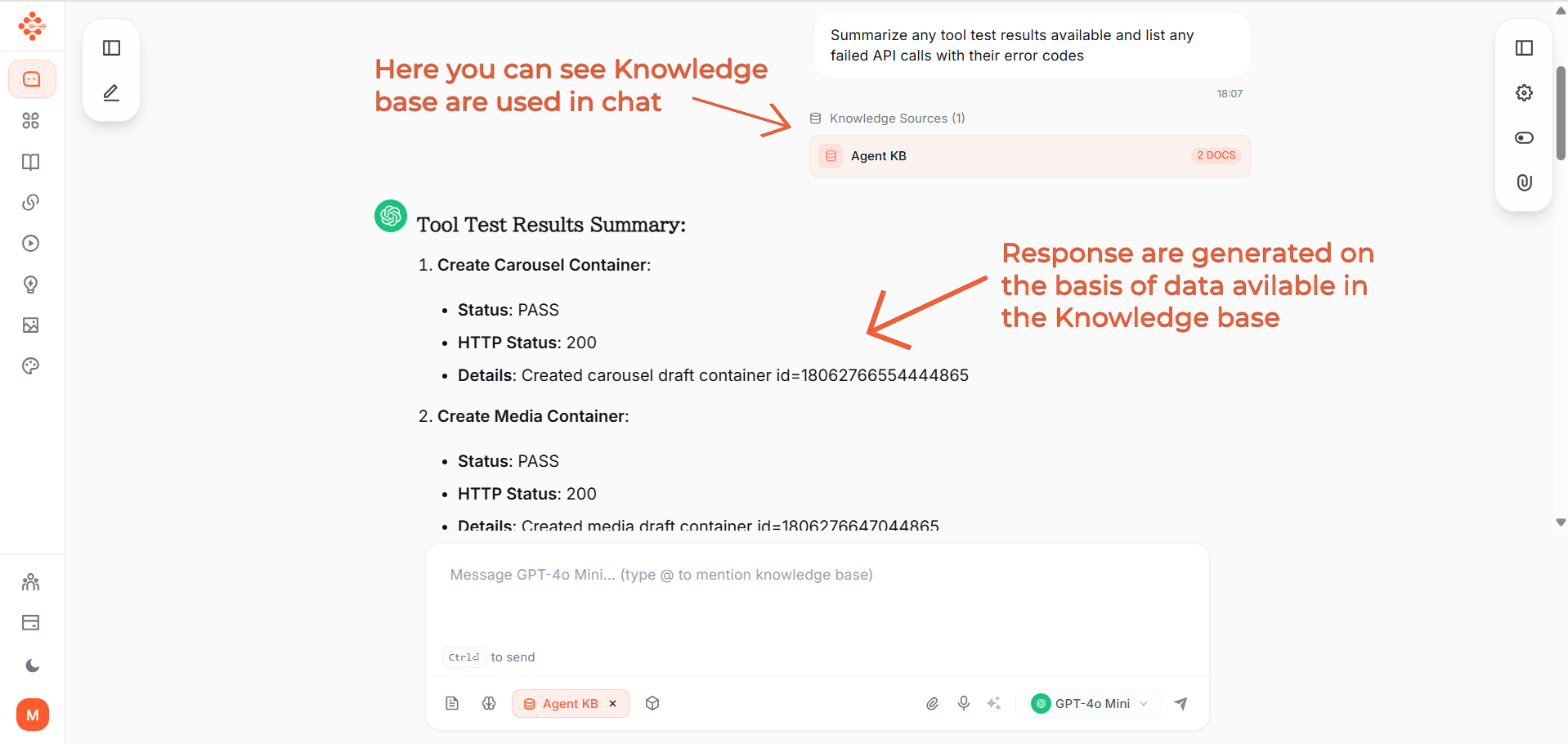
Your Knowledge Base is now connected to chat. All responses are generated based on the data available in your Knowledge Base.
You can see which Knowledge Base is active, and the AI will reference your uploaded documents and websites to provide accurate answers.
Company policies, procedures, employee handbooks, training materials
Product specifications, user manuals, technical documentation, feature lists
Brand guidelines, sales playbooks, case studies, campaign reports
Market research, industry reports, competitor analysis, white papers
FAQs, troubleshooting guides, support policies, common issues
Contracts, regulatory documents, compliance policies, legal templates
Traditional search: 20-30 minutes to find and read documentsKnowledge Base: 10 seconds to get precise answers
AI references your verified documents, not generic internet information
Everyone gets the same accurate answers from authoritative sources
Organizational knowledge remains accessible even when employees leave
Access information instantly, anytime, from anywhere
New team members get instant answers to their questions
Upload product documentation and company policies. New employees get instant answers without constantly asking senior team members.
Upload brand guidelines and past campaigns. Create on-brand content that matches your established style and voice.
Upload product manuals and FAQs. Support agents get instant, accurate answers to customer questions.
Upload product specs and case studies. Sales reps access relevant information during client calls without searching through files.
Upload employee handbooks and policies. Provide instant policy clarification without manual lookups.
Upload research papers and experiment results. Synthesize information across multiple studies instantly.
FeatureTraditional File StorageKnowledge BaseSearch MethodFilename or keywordNatural language questionsAnswer FormatMust read entire documentsDirect, synthesized answersTime to Find Information20+ minutes10 secondsCross-Reference Multiple FilesManualAutomaticNatural Language QueriesNoYesSource CitationsManual trackingAutomaticUpdatesVersion confusionAlways current
Create separate Knowledge Bases for different projects, departments, or clients.
AI automatically shows which documents it referenced for each answer.
Add website URLs to include online content in your Knowledge Base.
Combine Knowledge Base with Definable AI's 500+ pre-built instructions to create specialized AI experts that know your specific information.
Connect autonomous AI agents to your Knowledge Base for automated research and analysis.
Your data remains private and secure:
PlanStorageDocumentsMonthly CostFree50MB10 documentsRs. 0Plus500MB50 documentsRs. 199Pro10GBUnlimitedRs. 688Enterprise100GB+UnlimitedRs. 5,999
Pro plan recommended for professionals and small teams requiring unlimited documents.
Uploaded product catalog and support documentation. Result: 70% of customer questions answered instantly, reducing support workload significantly.
Uploaded 5 years of project reports and case studies. Result: Team members find relevant past work 90% faster, improving proposal quality.
Uploaded course materials and policies. Result: Students get 24/7 support, reducing administrative burden on faculty.
Before Knowledge Base:Searching through files manually, explaining context repeatedly, inconsistent information, time-consuming lookups
With Knowledge Base:Instant answers from your data, AI understands your context, consistent information, 90% time savings
Transform generic AI into your personal expert trained on your specific data.
Visit www.definable.ai to get started.
Free plan available. No credit card required.
Definable AI Knowledge Base: Your Information, AI Intelligence