NEWS
·
December 16, 2025
AI in 2026: Experimental AI concludes as autonomous systems rise
7 min read

Create professional videos instantly in Definable's chat using Veo 3—just describe your vision and get cinematic results in seconds.


In the rapidly evolving landscape of artificial intelligence, video creation has taken a revolutionary leap forward. Definable's integrated AI video generation feature, powered by Google's cutting-edge Veo 3 model, brings professional-quality video production directly into your chat interface—no editing software, no production crew, just your imagination and a few simple steps.
Definable's video generation capability transforms text descriptions into stunning, high-quality videos within seconds. By leveraging Veo 3's advanced AI architecture, users can create cinematic sequences, product demonstrations, educational content, marketing materials, or creative projects simply by describing what they want to see. The feature is seamlessly integrated into the Definable chat interface, making professional video creation accessible to everyone—from content creators and marketers to educators and business professionals.
Veo 3 represents the latest breakthrough in AI video generation technology. It excels at understanding complex prompts, maintaining visual consistency across frames, generating realistic motion and physics, and producing high-resolution output with exceptional detail. The model's ability to interpret nuanced descriptions and create temporally coherent videos sets it apart from previous generation tools.
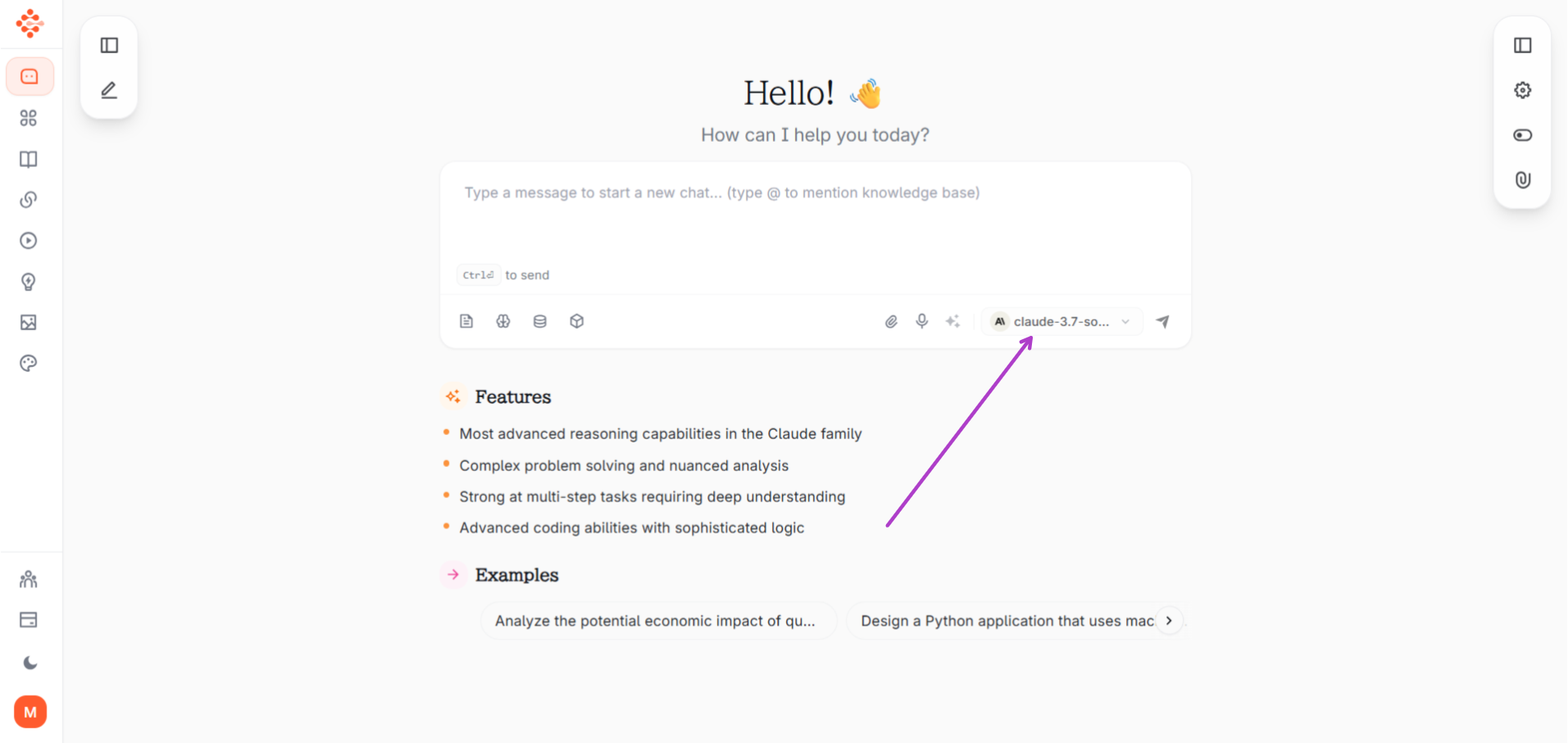
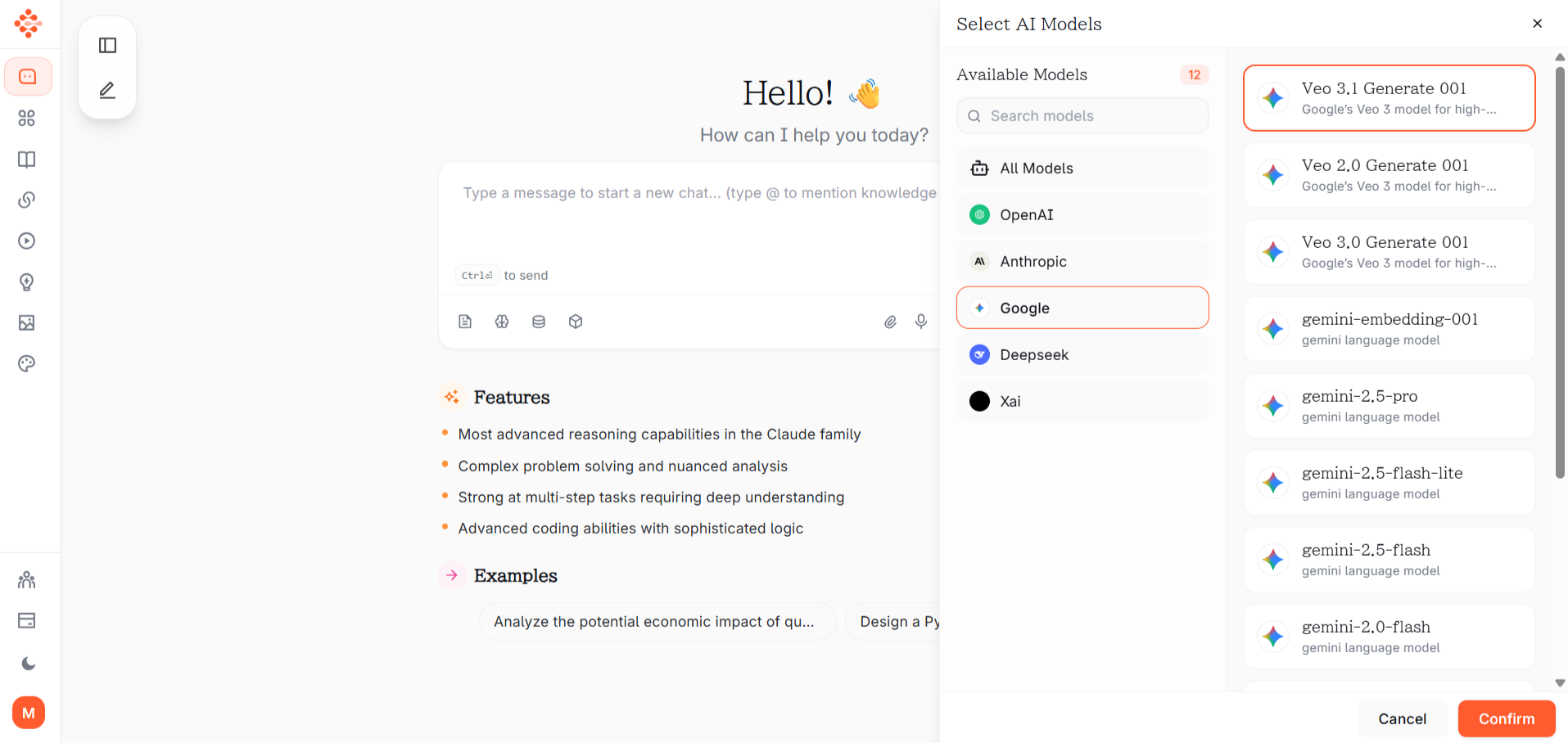
Open your Definable chat interface and simply start describing the video you want to create. The AI understands natural language, so you can communicate as if you're explaining your vision to a director. No special commands or technical knowledge required—just type your request conversationally.
The quality of your video depends significantly on your prompt. Include these elements for best results:
Pro Tip: Be specific but not overly restrictive. Give the AI creative room while maintaining your vision.
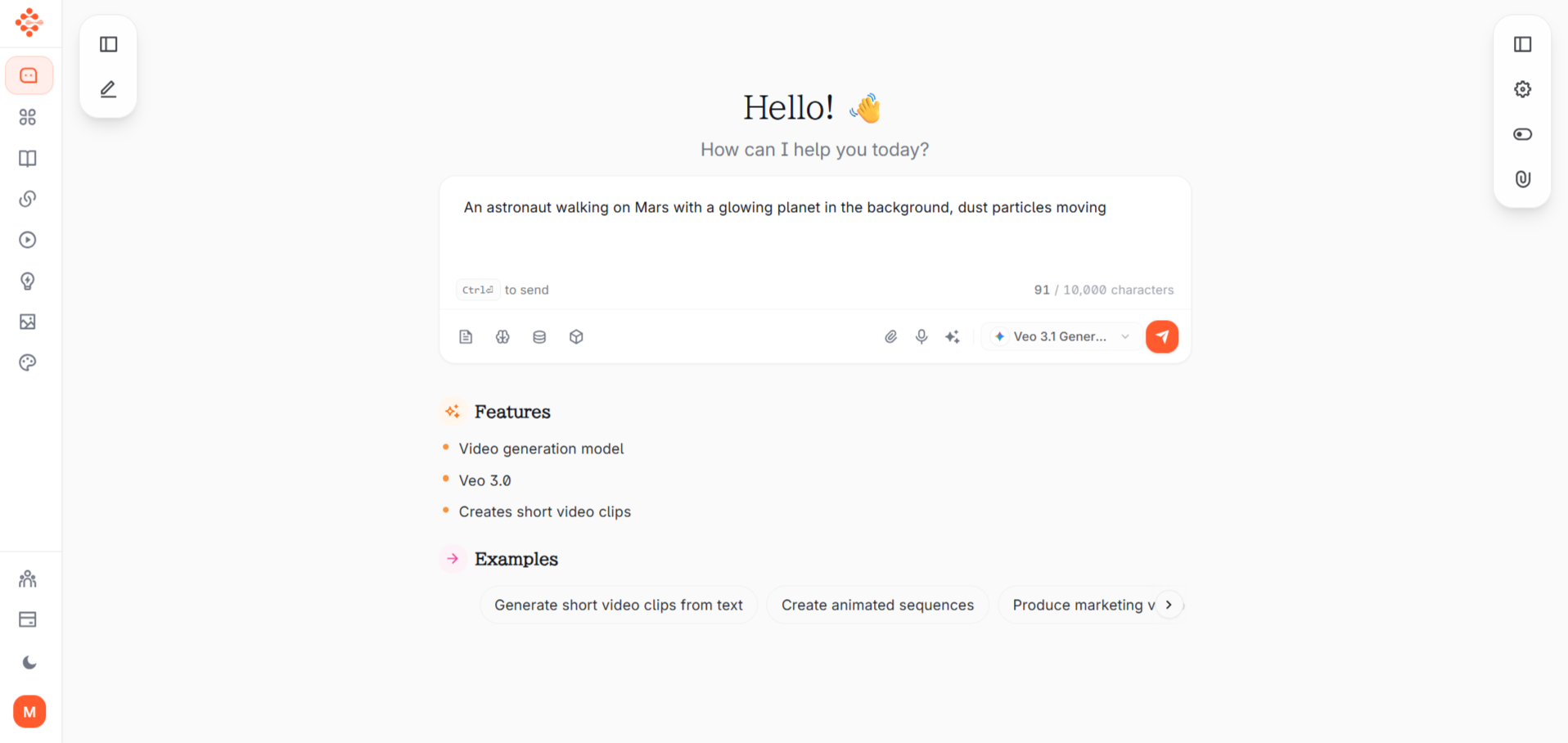
Once you've crafted your prompt, submit it through the chat. Definable's Veo 3 integration processes your request, typically taking 30-90 seconds depending on video complexity and length. You'll see a processing indicator while the AI works its magic.
The generated video appears directly in your chat interface. You can:
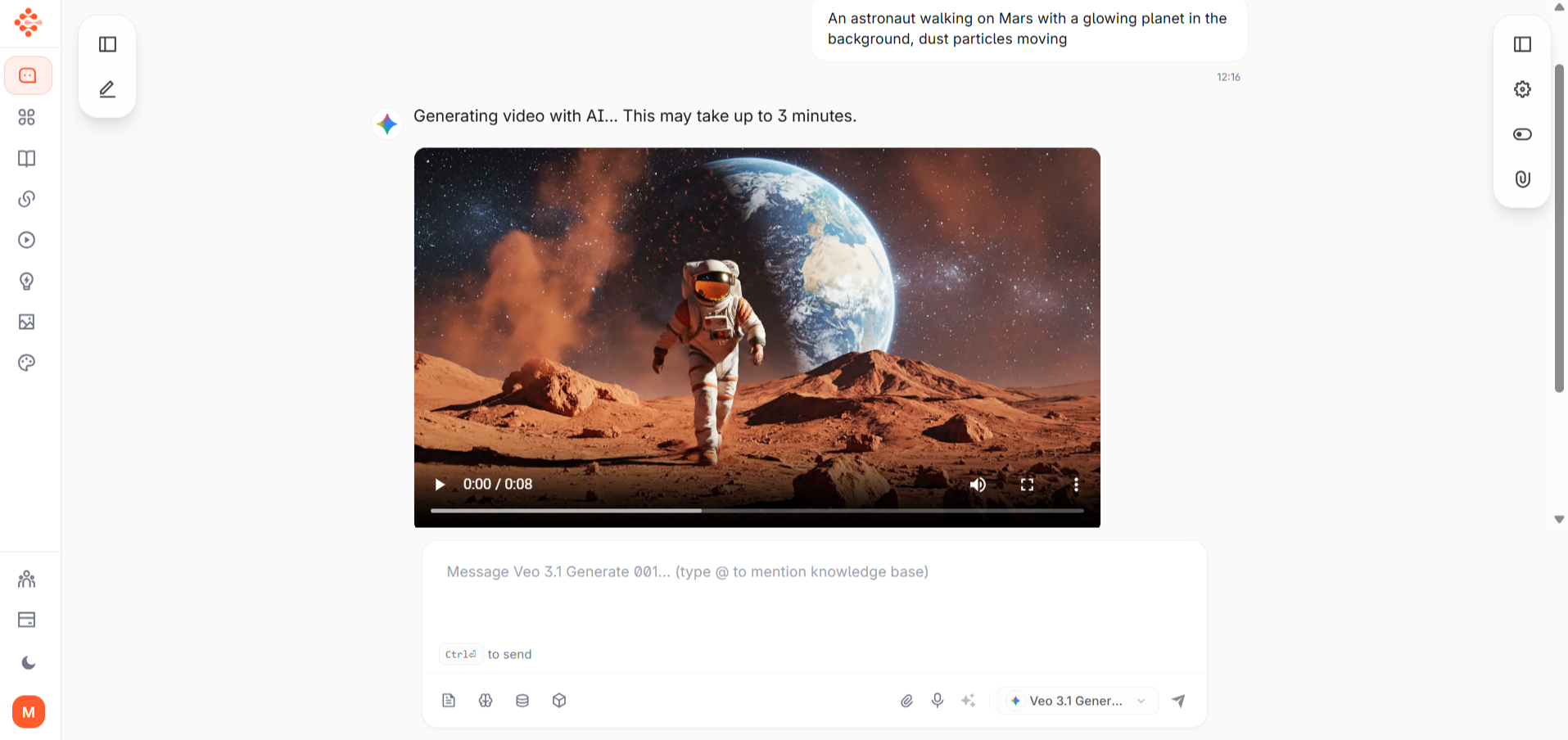
Not perfect on the first try? Simply provide feedback or modifications:
The AI will generate a revised version incorporating your feedback.
Satisfied with your video? Download it directly from the chat interface in your preferred format. The video is ready for immediate use in presentations, social media, websites, or any other platform.
Understanding the technical process helps you create better prompts and set realistic expectations.
Text Prompt Analysis: When you provide your description, Veo 3's natural language processing system analyzes every word, understanding not just the literal meaning but contextual relationships, implied actions, and stylistic preferences.
Reference Materials (Optional): You can provide reference images or videos to guide style or content direction, though text-only prompts work excellently.
Parameter Configuration: The system automatically sets optimal video length, resolution, and technical specifications based on your request, though you can specify preferences like "create a 10-second video" or "4K resolution."
Text Encoding: Your prompt is converted into high-dimensional numerical representations that the AI model can process. This encoding captures semantic meaning, spatial relationships, temporal sequences, and stylistic attributes.
Diffusion Process: Veo 3 utilizes advanced diffusion models—starting with structured noise, the AI iteratively refines each frame, gradually building coherent visual content that matches your description. This process happens simultaneously across multiple frames to ensure consistency.
Frame Generation: Individual frames are created while the model maintains awareness of what came before and what comes after, ensuring smooth motion and logical progression.
Frame-to-Frame Consistency: One of Veo 3's greatest strengths is maintaining visual consistency. Objects don't suddenly change appearance, colors remain stable, and the environment stays coherent throughout the video.
Motion Prediction: The AI understands real-world physics and natural movement patterns. Water flows realistically, people walk naturally, and objects fall with proper gravity—creating believable motion.
Scene Continuity: Lighting conditions, atmospheric effects, and environmental elements remain consistent unless your prompt specifically describes changes.
Visual Aesthetic: Whether you request cinematic realism, animated style, documentary feel, or artistic interpretation, Veo 3 applies appropriate visual treatments.
Color Grading: The AI adjusts color palettes, contrast, saturation, and tone to match the mood and style of your request—from warm golden hour tones to cool blue twilight atmospheres.
Resolution Enhancement: Final output is optimized for clarity and detail, with upscaling applied where needed to deliver professional-quality results.
Rendering Optimization: The generated frames are compiled into a smooth video file with proper frame rates and compression for optimal playback.
Format Conversion: The video is prepared in web-friendly formats compatible with all major platforms and devices.
Quality Assurance: Automated checks ensure the video meets technical standards for clarity, smoothness, and consistency.
Preview and Review: You receive the generated video for evaluation, allowing you to assess whether it matches your vision.
Iterative Refinement: Based on your feedback, the system can regenerate with modifications, adjusting specific elements while maintaining what worked well.
Final Delivery: Once approved, your video is ready for download and deployment across any channel.
Be Descriptive but Focused: Include important details without overwhelming the AI with unnecessary information.
Specify Camera Movement: Phrases like "camera slowly pans across," "aerial drone view," or "close-up shot" dramatically improve results.
Include Lighting Details: Mentioning "golden hour lighting," "dramatic shadows," or "soft diffused light" enhances visual quality.
Define the Mood: Words like "cinematic," "energetic," "serene," or "mysterious" guide the overall atmosphere.
Think in Scenes: Structure complex requests as sequential scenes for longer narratives.
Marketing and Advertising: Create compelling ad content, social media videos, and promotional materials without expensive production costs.
Education and Training: Develop instructional videos, concept visualizations, and educational content that enhances learning experiences.
Content Creation: YouTubers, bloggers, and influencers can rapidly produce engaging video content to maintain consistent posting schedules.
Corporate Communications: Generate professional internal communications, presentation videos, and stakeholder updates efficiently.
E-commerce: Showcase products from multiple angles with professional lighting and presentation without photography sessions.
Real Estate: Create property walkthroughs and neighborhood showcases before physical staging or photography.
Entertainment and Creative Projects: Storyboard concepts, create proof-of-concept sequences, or produce short creative films.
While Veo 3 represents cutting-edge technology, understanding its current limitations helps set realistic expectations:
For professional projects requiring absolute precision, consider using AI-generated videos as starting points or supplementary content alongside traditionally produced material.
Definable's AI video generation feature powered by Veo 3 democratizes professional video creation, making it accessible to anyone with an idea and an internet connection. Whether you're a marketer seeking engaging content, an educator developing instructional materials, a business professional creating presentations, or a creative exploring new storytelling mediums, this tool eliminates traditional barriers to video production.
The technology continues evolving rapidly, with each iteration improving quality, coherence, and creative possibilities. By integrating this capability directly into the Definable chat interface, video creation becomes as simple as having a conversation—describe your vision, refine as needed, and download professional-quality results in minutes.
The future of content creation is here, and it's conversational, accessible, and remarkably powerful. Start experimenting with Definable's video generation today and transform your ideas into visual reality with nothing more than your imagination and a well-crafted prompt.
Ready to create your first AI-generated video? Open Definable, describe your vision, and watch as artificial intelligence brings your ideas to life—one frame at a time.